




Compliance for Confluence

Find, classify and protect sensitive data in Confluence

As your Confluence site grows, keeping track of sensitive information and who can access it becomes increasingly difficult.

Compliance for Confluence helps administrators classify content, manage page access, detect sensitive information and automate protective actions. Get a clearer picture of potential risks across your instance, while reducing the manual work involved in managing them.

Compliance for Confluence product illustration with Atlassian Marketplace star rating

Trusted by teams at Fannie Mae, Infineon, BT and more.

Keep sensitive information under control across Confluence

Not every page contains the same type of information, and not every user should have the same access. Compliance helps you manage these differences with clear classifications, sensitive-data detection and automated responses when information needs attention.

Respond when sensitive information appears in Confluence

Imagine you’re a Confluence administrator responsible for protecting information across your organization’s spaces.

A team member adds an API key to a technical troubleshooting page. It’s useful documentation, but that information shouldn’t be exposed unnecessarily.

With Compliance for Confluence, you can establish the controls needed to identify information like this and respond when it’s detected.

1. Set your information controls

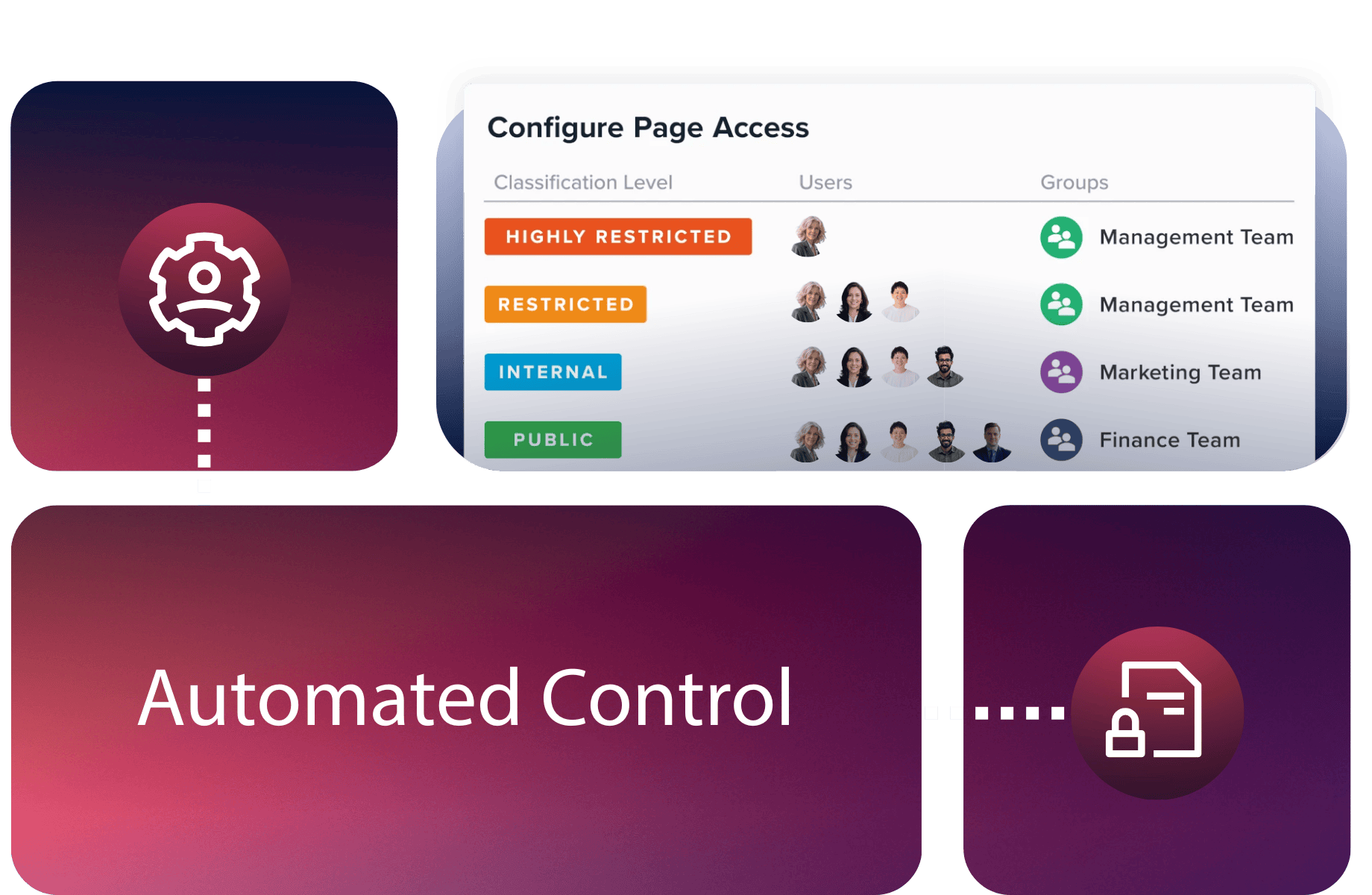
Create classifications that reflect your security policies and configure access restrictions for the relevant Confluence spaces.

Choose which types of sensitive information to detect and where detection should run.

2. Find information that needs attention

Run sensitive-data detection to identify defined patterns, such as API keys, personal information or financial details.

Use the Sensitive Data dashboard to investigate findings, identify affected pages and understand where attention is needed.

3. Respond and maintain oversight

Configure automation rules to determine what happens when matching information is detected.

For example, Compliance can notify administrators, apply an appropriate classification or redact detected text, based on the rules you’ve established.

Continue reviewing detection findings, classifications and relevant audit logs as new content is created and your information security requirements change.

See how ViNotion strengthened
information security in Confluence

We needed to know who could access what, when, and why – but we didn’t want to burden users with more decisions or manual processes.

Christopher GeelenOperations Manager at ViNotion

4 weeks of audit preparation saved each year

Less time spent preparing for audits, with more consistent information classification and automated access controls.

ViNotion works with sensitive information for clients in government and regulated industries. As its use of Confluence grew, the company needed a more consistent approach to classifying information and managing access, while supporting its ISO 27001 requirements.

With Compliance for Confluence, ViNotion introduced standardized classification levels and automated page restrictions based on information sensitivity.

This helped the company strengthen its information controls and reduce the administrative work involved in managing access to confidential content.

Working on wider security, compliance or AI governance requirements?

Compliance helps you protect sensitive information within Confluence. But your wider responsibilities may also involve maintaining controlled documentation, preparing for audits or ensuring information is appropriately governed as AI adoption grows.

Explore how AppFox can support these connected priorities.

Regulatory Compliance

Keep important documentation and information under control

Managing sensitive information is one part of meeting regulatory requirements. Explore how AppFox helps organizations combine information protection with controlled document reviews, approvals, publishing and accessible records to support compliance processes and audit preparation.

Improve audit readiness →

AI Readiness & Governance

Build a better-governed foundation for Rovo

As your organization expands its use of AI, the quality and security of the information it works with become increasingly important. Explore how AppFox helps teams prepare their Jira and Confluence environments for Rovo, with information protection, controlled documentation and platform health management.

Prepare for AI adoption →

Data Security & Information Governance

Make information protection part of everyday work

Effective information governance goes beyond finding individual risks. Explore how AppFox helps administrators and information security teams establish more consistent classification, access and monitoring practices across Confluence, supporting their wider data protection responsibilities.

Strengthen data security →

Frequently asked questions about Compliance for Confluence

Atlassian Guard provides native security capabilities, including data classification, sensitive-data detection and protection features in eligible plans.

Compliance for Confluence provides additional Confluence-focused controls, including configurable classification and restriction schemes, sensitive-data detectors, automated responses and administration dashboards.

The right choice depends on your existing Atlassian subscriptions, information security policies and the specific controls you need.

Compliance can detect several types of sensitive information, including email addresses, phone numbers, credit card details, API keys and supported identification formats.

You can also configure custom detectors using regular expressions to identify information specific to your organization.

Detection settings allow administrators to define which information should be scanned and the relevant Confluence scope.

Yes. Compliance supports automation rules that respond when configured sensitive-data detectors identify matching information.

Available actions include applying classification levels, adding page labels, sending email notifications, redacting detected text and sending web requests to other systems.

For redaction, it’s important to understand that previous page versions containing sensitive information are not automatically cleared from Confluence history.

Learn more about automation rules.

Compliance for Confluence can support relevant information security and data protection processes by helping teams classify information, manage access restrictions, detect sensitive data and maintain records of supported activities.

These capabilities can contribute to controls used within frameworks such as ISO 27001 and GDPR accountability processes.

Compliance doesn’t independently guarantee certification or regulatory compliance. Your organization remains responsible for its wider policies, processes and obligations.

Yes. Compliance for Confluence is available for Atlassian Cloud and Data Center environments.

Some functionality and configuration options differ between hosting versions, so it’s worth reviewing the Cloud and Data Center comparison before choosing the version that meets your requirements.

Getting started involves configuring the classification levels, restriction schemes and sensitive-data detection settings relevant to your organization.

You can use the Compliance user guides to understand the available settings and configure the app for your environment.

If you’re managing a large Confluence instance, migrating from Data Center or introducing information security controls across multiple teams, speak to our team about your requirements and available support options.

Ready to take greater control of sensitive data in Confluence?

Find information that needs attention, apply appropriate access controls and automate responses to sensitive-data detections.

Start your free trial through Atlassian Marketplace, or talk to our team if you’re planning a larger rollout or have more complex information security requirements.