
Data security & information governance
Sensitive information can find its way into Confluence pages without teams realizing it’s there. As your organization grows, keeping track of that information and who can access it becomes more challenging.
AppFox helps you classify content, control access, detect sensitive data and automate protective actions with Compliance for Confluence. Reduce the risk of accidental exposure while keeping information governance manageable.
For Atlassian administrators, information security and data protection teams.


Security certifications are held by Automation Consultants, AppFox's parent company.
Confluence makes it easy for teams to create, share and collaborate on information. But as more content is added, sensitive data can become harder to track and protect.
Your administrators need confidence that confidential information is appropriately classified, access restrictions reflect your policies and potential exposure can be identified and addressed.
AppFox helps you manage these challenges within Confluence, making information security easier to maintain as your organization grows.
Three common challenges make this difficult:

Sensitive information can be hard to find
Personal information, financial details and credentials can be stored across different pages and spaces, making it difficult to understand where potential risks exist.
Access controls aren’t always consistent
Different teams may manage information in different ways. Without clear classification policies, maintaining appropriate page restrictions becomes increasingly difficult.
Manual checks take valuable time
Reviewing content, managing permissions and responding to potential issues can place a growing burden on administrators and information security teams.
Compliance for Confluence brings together data classification, sensitive-data detection and automated protection to help you manage confidential information more effectively.
Make it clear which information needs additional protection.
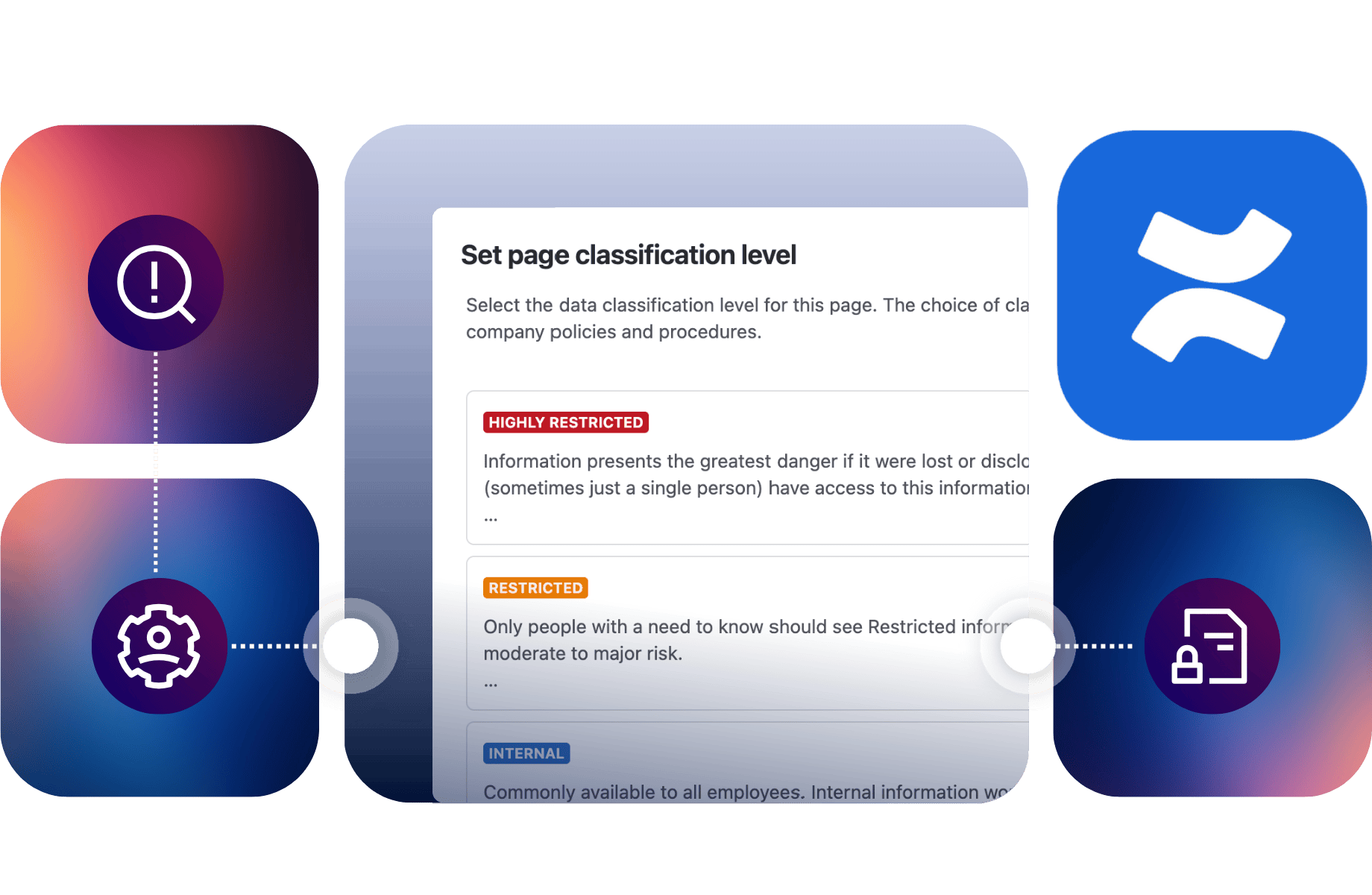
Create classification levels that reflect your organization’s information security policies, such as Internal, Confidential and Restricted. Apply page access restrictions based on those levels, so the appropriate users and groups can view or edit sensitive content.
With configurable restriction schemes, you can manage different access requirements across Confluence spaces.
Find information that might otherwise go unnoticed.
Scan Confluence pages for sensitive data, including email addresses, credit card details, API keys and other defined patterns. Use custom detectors to identify information relevant to your organization.
Review findings through the Sensitive Data dashboard to understand where potential issues exist and prioritize action.
Reduce the manual work involved in addressing potential exposure.
Configure automation rules to respond when sensitive information is detected. Depending on your policies, Compliance for Confluence can apply classifications, add labels, notify relevant teams, redact sensitive text or send web requests to other systems.
Help your administrators act on findings without having to manually check every affected page.
Together, these capabilities help you identify sensitive information, apply appropriate controls and respond more consistently when potential risks are detected.
Imagine you’re a Confluence administrator responsible for information security across your organization.
Your teams regularly create and update documentation. One day, an API key is added to a technical troubleshooting page. You need a way to identify information like this, take appropriate action and maintain oversight as new content is created.
Here’s how Compliance for Confluence can help.
Use Compliance for Confluence to create classification levels that reflect your security policies and configure which users or groups should have access to different categories of information. Apply these rules across the relevant spaces to make information protection more consistent.
Configure sensitive-data detection to identify information such as API keys, personal details and other defined data types. Use the Sensitive Data dashboard to review findings and locate pages that need attention.
Set automation rules to determine what happens when sensitive information is found. For example, you could notify administrators, apply a classification or redact detected text, depending on the information involved and your chosen settings.
Use classification reports, detection findings and audit logs to review how information is being managed. As your organization grows, update classification policies and detection rules to reflect changing requirements.
The outcome
Greater visibility of sensitive information, more consistent access controls and less manual effort to identify and address potential exposure.
Information protection isn’t something you can configure once and forget. New content is created, people change roles and your organization’s security requirements evolve.
Compliance for Confluence helps you maintain information controls as Confluence grows, supporting both your everyday administration and wider information security objectives.
These capabilities can also support processes associated with information security management and data protection requirements, including ISO 27001 and GDPR.
Apply security policies more consistently
Use classification levels and access restrictions to help teams handle information in line with your organization’s policies.
Reduce manual administration
Use automated classification, detection and response rules to reduce repetitive work for administrators and security teams.
Improve visibility across your instance
Review classification adoption and sensitive-data findings across pages and spaces, so you have a clearer picture of where attention is needed.
Maintain records of information controls
Use classification history and audit logs to review relevant changes, support internal oversight and provide evidence for information security reviews.
AppFox helps organizations manage and protect information within the Atlassian tools their teams already use.
Our applications are designed to help administrators introduce more consistent controls while reducing the manual work involved in maintaining them.
ViNotion
Compliance for Confluence
Making information classification and access controls easier to manage
ViNotion works with sensitive information for clients in government and regulated industries. As its use of Confluence grew, the company needed more consistent controls without adding administrative work for its teams.
With Compliance for Confluence, ViNotion introduced standardized information classifications and automated page restrictions based on sensitivity levels. This helped its teams manage access to confidential information and support their wider information security requirements.
“We needed to know who could access what, when, and why – but we didn’t want to burden users with more decisions or manual processes.”
Our commitment to information security is supported by documented security controls and independent assurance.


Security certifications and assurance reports are held by Automation Consultants, AppFox’s parent company.
Compliance for Confluence can detect supported types of sensitive data, including email addresses, credit card numbers, phone numbers, national identification formats and API keys. Administrators can also create custom detectors using regular expressions to identify other defined patterns.
Yes. Confluence includes native permissions and page restrictions.
Compliance for Confluence adds classification-based controls, allowing administrators to configure page restrictions according to the sensitivity of the information. This helps apply information security policies more consistently across relevant Confluence spaces.
Yes. You can configure automation rules to redact supported sensitive data when detections occur.
Redaction must be configured appropriately and does not automatically remove sensitive information from every historical page version. Administrators should review the available settings and limitations when establishing their protection policies.
Not necessarily. Atlassian Guard offers security capabilities across the Atlassian environment, while Compliance for Confluence focuses on Confluence-specific information classification, classification-linked page restrictions, sensitive-data detection and automated responses.
The right approach depends on your existing Atlassian security capabilities and the information controls your organization needs.
Compliance for Confluence can support relevant processes through information classification, sensitive-data detection, access restrictions and audit records.
These capabilities can contribute to information security and data protection programs, including those associated with ISO 27001 and GDPR, but they don’t independently guarantee regulatory compliance.
For organizations that also need controlled document reviews, approvals and publishing, Workflows for Confluence provides complementary document lifecycle management capabilities.
Whether you’re introducing information classification policies, trying to find sensitive data or reducing the work involved in managing access, AppFox can help.
Book a demo to discuss your organization’s security challenges and see how Compliance for Confluence can support your information governance processes.
Prefer to explore the app yourself? Try Compliance for Confluence on the Atlassian Marketplace.