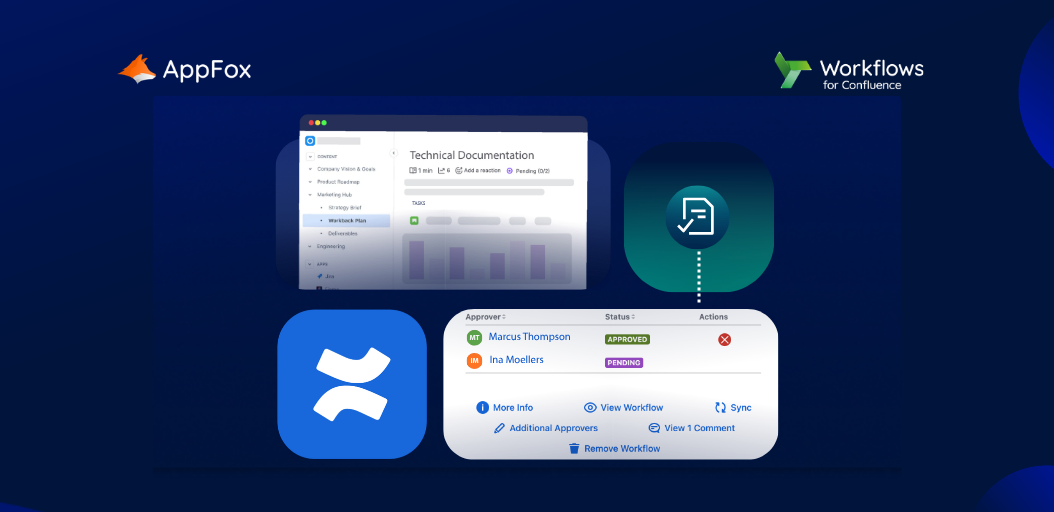






If your team is already living in Confluence, you’ve probably wondered: Can we just use this as our QMS? The short answer is yes – but with caveats.
The longer answer is that Confluence is genuinely excellent for technical documentation – and with the right add-ons, it can handle quality management workflows too. But in isolation, it’s not a plug-and-play Quality Management System (QMS).
This guide is for engineering leads, quality managers, and ops teams evaluating whether Confluence can replace a dedicated QMS – and what plugins you may need to enhance it.
Can Atlassian Confluence be used as a QMS?
Yes! Teams across SaaS, hardware, and regulated industries use Confluence as a lightweight QMS.
Confluence provides basic quality management through its native functionality: Centralized documentation, version history, team-wide access, and the ability to create structured pages or templates.
That caveat we mentioned at the top of this piece? On its own, Confluence lacks a few things that compliance-focused teams will eventually need:
- Formal document approval workflows
- Controlled, auditable change management
- Role-based document ownership with enforcement
- Automated review cycles and expiry reminders
- Compliance-ready audit trails
For teams that need ISO 9001, ISO 13485, or SOC 2 compliance, Confluence alone will leave gaps.
This is where an Atlassian Marketplace app, like Workflows for Confluence, comes in.
Add it to Confluence to enhance your Quality Management processes and compliance with automations, bespoke workflows and audit logs.
You can get started today with a free trial!
Confluence for technical documentation
This is where Confluence shines.
The platform was built for collaborative documentation, and that DNA shows up everywhere: Real-time co-editing, page hierarchies, inline comments, and a tight Jira integration that many engineering teams already rely on.
What works well
- Structured space and page hierarchies for organising API docs, architecture decisions, runbooks, and onboarding guides
- Inline macros for embedding Jira tickets, status badges, and live content from other tools
- Page templates that enforce consistent structure across teams
- @mentions and comment threads that keep documentation conversations in context
- Deep search across all content with Rovo, reducing manual hunting through email threads or Slack conversations
For creating and collaborating on technical content, it’s hard to beat Confluence…
But for managing that content – in terms of quality assurance, document approvals, and compliance measures – you’re probably going to need more than native features alone.
Enter Workflows for Confluence.
Developed by our team here at AppFox, the Workflows for Confluence app enables you to:
- Build content approval and quality management workflows
- Ensure only approved technical documentation is published
- Embed strong document management and compliance controls
- Access a robust audit log
We’ll share more about Workflows for Confluence and its role in strengthening Confluence’s QMS abilities throughout this blog post. In the meantime, you can also download and try Workflows for free from the Atlassian Marketplace!
Confluence technical documentation templates
If you ask us, templates are one of Confluence’s most underrated native features. Used properly, they’re the difference between a documentation culture and a documentation chaos.
Built-in templates worth using
- Product Requirements Document (PRD): A structured format for feature specs with stakeholder, goal, and success criteria fields
- Architecture Decision Record (ADR): This one captures context, options considered, and rationale for technical decisions
- Runbook: Standardized incident response and operational procedure format
- API Documentation: Endpoint structure, request/response examples, and error codes
- Meeting Notes: Includes agenda, decisions, and action items in one place
QMS-specific templates (via the Workflows for Confluence app)
- Controlled Document template: With mandatory metadata fields, owner assignment, and review date
- SOP template: Step-by-step procedure with version control and approval routing
- Change Request template: Impact assessment, approval chain, and implementation tracking
- CAPA template: Corrective and preventive action tracking with root cause fields
- Training Record template: Role-linked training requirements with completion tracking
Discover how one of our customers reclaimed 400+ hours a year!
Our customer needed to enforce quality standards, and used Workflows for Confluence to embed an automated and scalable review, approval and publishing process.
‘We can now verify every piece of content that gets added – that’s like a superpower’
Benefits of Using Confluence as a QMS
Beyond the obvious (your team is already using it to create, collaborate and store content), here’s why Confluence makes sense as a QMS foundation:
- Single source of truth
Documentation lives where your team works. No context-switching to a separate QMS tool. No copy-and-pasting between systems. No ‘Which version is the real one?’ conversations.
A Jira integration that actually works
You can link quality issues directly to Jira tickets. Track CAPAs through Jira workflows. Connect release documentation to deployment pipelines.
Collaboration at scale
Your SMEs, reviewers, and approvers all operate in the same tool. No emailing PDFs back and forth or dredging up Slack chains. Comments, suggestions, and version history are all in one thread.
Cost efficiency
If you’re already paying for Confluence, a QMS add-on (like an Atlassian Marketplace app) is a fraction of the cost of a standalone quality management system.
Scalability
From 10-person startups to 10,000-person enterprises, Confluence scales. Your QMS documentation can grow with your organisation without a migration.
Limitations of Confluence for QMS and technical documentation
We’d be doing you a disservice if we didn’t flag the real limitations. Confluence is a great foundation for your quality assurance processes – but, as we’ve said before, it’s not a complete solution without additional plugins like Atlassian Marketplace apps.
| ✅ Pros | ⚠️ Cons |
|---|---|
| Already integrated with Jira and DevOps toolchain | No native formal approval workflows |
| Strong template and hierarchy system | Limited audit trail for compliance needs |
| Real-time collaboration and inline comments | No automated review cycle or expiry dates |
| Familiar to most engineering/product teams | Version control is manual and unsophisticated |
| Cost-effective if licence already exists | Permissions management gets complex at scale |
| Cloud and Data Center deployment options | No built-in training record management |
| Strong search across all documentation | Not purpose-built for regulated industries |
This is the kind of pattern we see most often:
Teams use Confluence happily for their technical documentation for 12–18 months, then hit a wall when they’re preparing for a compliance audit or specific certification.
That’s when they realise they need structured workflows layered on top for additional compliance measures, data protection and peace of mind.
Scaling Confluence with Workflows for Confluence
Workflows for Confluence is the Atlassian Marketplace app that can close the QMS gap.
It adds structured document lifecycle management directly inside Confluence – without requiring your team to leave the tool they already know (and, if they’re anything like us, probably love).
What Workflows for Confluence adds
| Feature | Confluence in isolation | Confluence + Workflows for Confluence app |
|---|---|---|
| Document versioning | Manual, page history only | Automated, policy-driven |
| Review & approval | Comments & manual sign-off | Structured multi-stage workflows |
| Access controls | Space/page-level permissions | Granular, role-based controls |
| Audit trails | Basic edit history | Full compliance-grade audit logs |
| SOC 2 / ISO readiness | Limited out-of-box | Purpose-built compliance support |
| Template enforcement | Optional, manual | Enforced on page creation |
| Change notifications | Watch pages manually | Automated stakeholder alerts |
As you can see, adding Workflows for Confluence enables you to strengthen your existing quality assurance processes with tighter document controls and automated workflows.
Workflows for Confluence: Compliance use cases
- ISO 9001: Document control, management review, and corrective action processes
- ISO 13485: Medical device quality management with controlled document workflows
- SOC 2: Evidence collection, policy management, and audit trail generation
- GxP / FDA 21 CFR Part 11: Electronic signature support and validation documentation
Is Confluence the right QMS for your team?
Let’s look at your three options in the context of this article.
Confluence (alone) works if you…
- Need lightweight SOP and knowledge management without formal compliance requirements
- Already have a QMS and just want to improve documentation quality
Confluence and the Workflows for Confluence app works if you…
- Are preparing for ISO, SOC 2, or any formal compliance certification
- Need formal document approval, version control, and audit trails
- Want to avoid paying for a standalone QMS tool and have teams already confidently working in Confluence
A dedicated QMS might be better if you…
- Operate in a highly regulated industry with very specific QMS tooling requirements (e.g. medical devices with FDA Class III)
- Have a large, existing QMS infrastructure you’re not ready to migrate
- Need features like FMEA, risk registers, or specialised product quality modules
In closing
If your teams know and love Confluence, but you need to tighten up your quality controls for technical documentation, do take the time to explore Workflows for Confluence.
It’s a cost-effective and intuitive way to embed powerful and compliant quality management processes within Confluence, and to strengthen existing functionality.
The best part? You can try it free, today, from the Atlassian Marketplace to understand how it fits in with your wider tech stack – before committing. Try free today!