






Optimizer for Jira Data Center

Keep complex Jira Data Center configurations under control

Managing a large Jira Data Center environment means keeping track of custom fields, projects, workflows and configurations that have built up over time.

Optimizer for Jira helps administrators identify configuration issues, optimize custom fields and make changes at scale. Reduce repetitive maintenance work, investigate problems and keep your Jira environment manageable while preparing for future changes.

Optimizer for Jira product illustration with Atlassian Marketplace star rating

Trusted by Jira administrators at organizations including Nike, AMD, Boeing and SAP.

Make complex Jira administration easier to manage

Maintaining Jira Data Center requires visibility into configurations, reliable ways to carry out changes and the information needed to investigate problems.

Optimizer brings these tasks together, helping administrators reduce unnecessary complexity and keep control of their environment.

Get unnecessary custom field configurations under control

Imagine you’re administering a large Jira Data Center instance that’s been used by multiple teams for years.

As new projects have been introduced, administrators have created custom fields to meet changing requirements. Some fields are no longer used, while others have global contexts despite only being relevant to a handful of projects.

You need to understand where the problems are and make improvements without disrupting the teams using Jira. Here’s how Optimizer can help.

1. Identify what needs attention

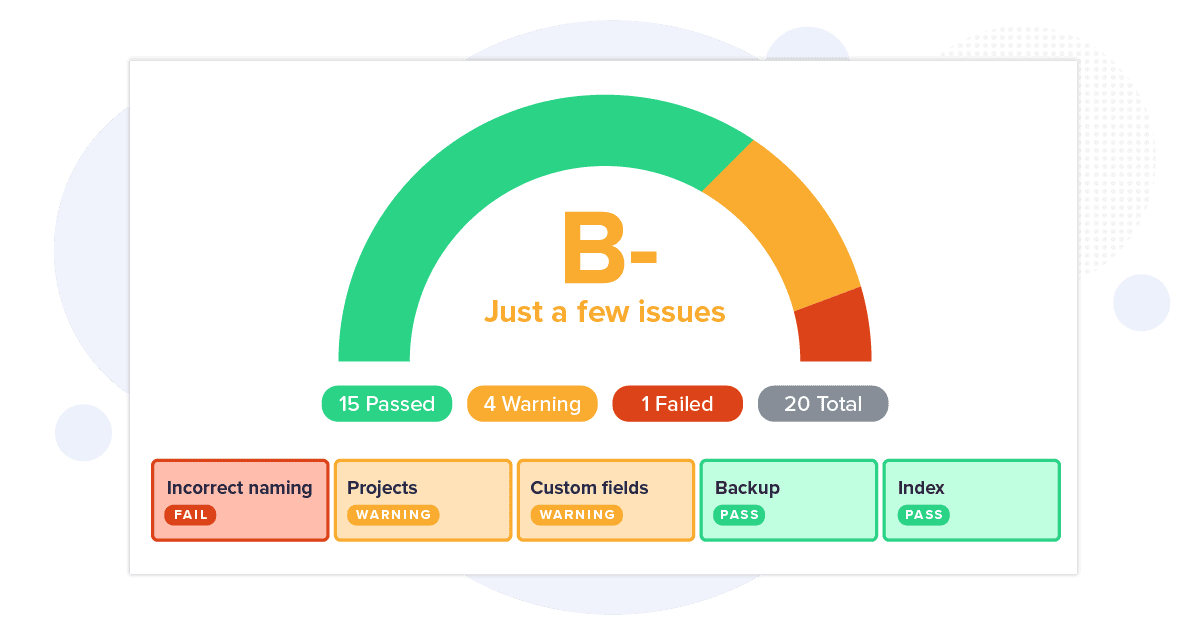
Run health checks to find unused custom fields, inactive projects and other configuration issues.

Review the results to understand which items need investigation and identify where custom-field configurations may be unnecessarily broad.

2. Optimize custom field usage

Use the Custom Field Optimization tool to scan for eligible global custom fields.

Review the suggested scope for each field, including the relevant projects and issue types. Preview and confirm the proposed changes before applying them.

For other maintenance activities, use bulk actions and the Task Manager to prepare and review supported changes.

3. Review the results and maintain oversight

After making changes, rerun relevant health checks and review the affected configurations.

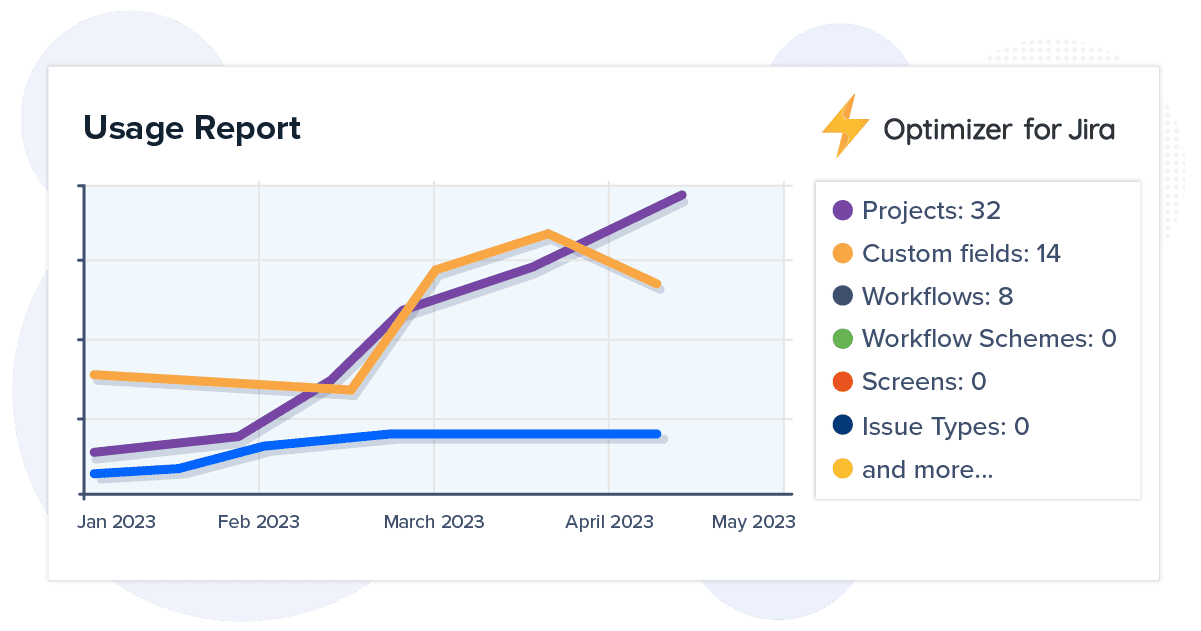
Use Optimizer’s reports to examine configuration information, maintain useful administrative records and identify further cleanup opportunities.

Schedule future health checks to keep configuration maintenance part of your regular Jira administration.

The outcome: fewer unnecessary configurations, more manageable custom-field scopes and a clearer process for maintaining Jira Data Center.

See what Jira Data Center administrators
say about Optimizer

This add-on is crucial to anyone supporting large jira instances, like my team.

Tanya L ChristensenAtlassian Marketplace reviewer

Greater visibility across complex Jira configurations

Identify inactive projects, underused fields and unnecessary schemes without manually investigating every configuration.

Large Jira Data Center environments can accumulate years of unused and duplicated configurations.

Optimizer helps administrators identify where attention is needed and provides tools to manage cleanup activities across projects, fields and schemes.

For teams responsible for complex Jira environments, that means less time spent searching for configuration problems and more time available to address them.

Managing wider Atlassian or governance requirements?

Your Jira Data Center responsibilities may be part of a broader effort to maintain your Atlassian environment, reduce administrative overhead or demonstrate how important systems are being managed.

Explore how AppFox supports these connected priorities.

Platform Health & Optimization

Make Jira and Confluence easier to maintain

Maintaining Jira configurations is only one part of keeping your Atlassian environment manageable. Important Confluence content also needs regular reviews, approvals and lifecycle controls. Explore how AppFox helps teams reduce administration across Jira and Confluence, with tools for configuration management and controlled content.

Improve platform health →

Visibility & Accountability

Make administrative activity easier to review

When you’re responsible for business-critical systems, stakeholders need to understand how configurations are maintained, where problems have been identified and what actions have been taken. Explore how AppFox helps organizations maintain oversight of Jira administration, document decisions and information controls across their Atlassian environment.

Improve audit visibility →

Frequently asked questions about Optimizer for Jira Data Center

Both versions provide Jira health checks, configuration management tools, bulk actions and support for merging custom fields. However, they also have different capabilities.

Optimizer for Jira Data Center includes Custom Field Optimization for adjusting global field contexts, Task Manager, detailed system and usage reports, user-management functions and Jira log-file viewing.

Optimizer for Jira Cloud includes capabilities such as AI-assisted duplicate detection, configuration monitoring, health-check history, goals and a Rovo Agent.

Compare Data Center and Cloud functionality

Yes. Optimizer includes Custom Field Optimization, which helps administrators identify eligible global custom fields and adjust their contexts to the projects and issue types where they’re required.

The tool lets you review suggested changes before applying them, helping reduce unnecessary global field scope. It also supports merging compatible custom fields through a separate guided process.

Learn more about Custom Field Optimization

Optimizer includes bulk actions and a Task Manager for organizing supported administration tasks.

Rather than executing every action individually, administrators can prepare changes, review queued tasks and control when those tasks are dispatched.

Custom Field Optimization and Custom Field Merging use their own guided processes, with review and confirmation steps before changes are made.

For significant changes, administrators should follow their organization’s established testing, backup and change-management procedures.

Yes. Optimizer can help you identify inactive projects, unused fields, duplicate configurations and other unnecessary items before migrating. Cleaning up your existing Jira environment can reduce the amount of configuration you need to assess and move.

Optimizer does not perform the migration itself. Once your Jira Cloud environment is ready, you can evaluate Optimizer for Jira Cloud to continue managing configurations and instance health.

Explore migration preparation

Atlassian has announced that Jira Data Center and its associated Marketplace apps will reach end of life on March 28, 2029.

New Data Center app sales to new customers have ended. Existing eligible Data Center customers can continue purchasing Marketplace apps until March 30, 2028, subject to Atlassian’s licensing conditions.

Optimizer can help you maintain and clean up your current Jira environment while preparing for a future transition.

For the latest timelines and eligibility requirements, refer to Atlassian’s Data Center end-of-life guidance.

AppFox provides Data Center user guides, tutorials and customer support to help administrators understand and use Optimizer.

If you’re managing multiple Jira instances, planning significant configuration changes or preparing for a Cloud migration, our team can discuss your requirements and available support options.

Discuss your requirements

Keep your Jira Data Center environment manageable

Identify configuration issues, optimize custom fields and take greater control of Jira maintenance while you plan your next steps.

Explore Optimizer for Jira Data Center through Atlassian Marketplace, or speak to our team about your existing environment, configuration challenges and migration plans.

Marketplace licensing and trial eligibility are subject to Atlassian’s Data Center transition arrangements.