




The NIS2 Directive (Directive (EU) 2022/2555) has moved from “coming soon” to “being enforced.” The scope is vast – roughly 160,000 organisations across 18 sectors – and the stakes are real: management bodies are personally accountable, and fines reach up to €10 million or 2% of global annual turnover.
If you’re responsible for NIS2 readiness, you’ve already seen that most of Article 21 is operational and technical: multi-factor authentication, incident handling, cryptography, supply-chain security. No Confluence plugin addresses those alone, but underneath every one of those measures sits a layer NIS2 cares about just as much – documented, approved, access-controlled, regularly-reviewed governance: the security policies, the risk-analysis records, the access-control and asset-management policies, the management sign-off, and the evidence that you review whether your measures work.
For teams using Confluence, that’s where two apps earn their place, used deliberately together:
Compliance for Confluence is the confidentiality layer – it classifies and labels information, restricts access by sensitivity, and detects sensitive data that’s ended up where it shouldn’t.
Workflows for Confluence is the lifecycle layer – it controls how a document moves from draft to approved to published, forces periodic review, and records who approved what and when.
This guide walks through where they genuinely help against NIS2, maps each step to the relevant article, and – importantly – is explicit about the large parts of NIS2 they don’t touch. A quick orientation: NIS2’s substantive obligations cluster in Article 20 (governance and management accountability), Article 21(2) (ten minimum risk-management measures), and Article 23 (incident reporting). We’ll work through them in that order.
A useful shortcut worth stating up front: NIS2’s risk-management measures map heavily onto ISO/IEC 27001, and an ISO 27001-style ISMS is the most widely recognised way to operationalise Article 21. If you’ve already read our ISO 27001 guide, much of what follows will feel familiar – that’s the point. Doing the ISO work well gives you most of the NIS2 governance layer for free.
Read this first. NIS2 is a cybersecurity directive, not a documentation standard. These apps support the documented-governance and access-control measures and produce evidence for supervision. Treat them as the tool that makes your NIS2 documentation and access layer controlled and auditable inside Confluence – one part of a much larger programme.
Step 1 – Evidence management accountability and approval (Article 20)
Article 20 is the part of NIS2 that genuinely changed the conversation: management bodies must approve the cybersecurity risk-management measures, oversee their implementation, and are personally accountable – and they (and staff) must undergo regular training. “Approved by management” and “personally accountable” are not assertions you can make in a meeting; under audit you have to show them.
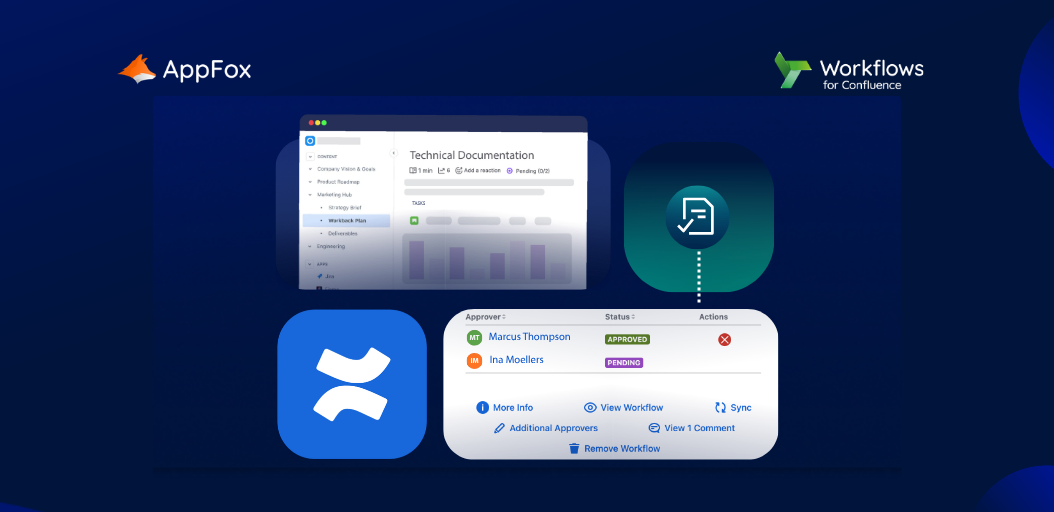
This is the single clearest fit for Workflows for Confluence. An approval workflow requires a named approver – your CISO, your management body’s nominated owner – to formally sign off a policy or measure before it takes effect, and approval tokens provide e-signatures where you want a higher-assurance, attributable sign-off. The result is a dated, named, exportable record that the management body approved each measure: precisely the accountability evidence Article 20 demands. For the training limb, a sign-off or acknowledgement workflow records that named individuals have read and accepted the relevant materials.
Step 2 – Control your security policies and risk-analysis records (Article 21(2)(a))
The first listed measure is policies on risk analysis and information system security. The apps don’t perform your risk analysis – but they control the documents that policy and the resulting records live in. Workflows governs the lifecycle (draft → review → approved → published), maintains the official, current version, and keeps drafts separate from the approved version through publishing controls. Compliance classifies those policy spaces and restricts access appropriately, so sensitive risk documentation isn’t open to the whole instance. Together they ensure your NIS2 policy set is approved, current, controlled and access-appropriate.
Step 3 – Access control, HR security and asset management (Article 21(2)(i))
Measure (i) bundles human resources security, access control policies and asset management – and this is the strongest single fit for Compliance for Confluence.
For access control, classification levels are paired with enhanced page restrictions through restriction schemes, so content marked at a given sensitivity is automatically restricted to the right audience – turning access control from a manual convention into an enforced rule. For asset management, Compliance’s classification levels and reporting let you identify and classify the information assets held in Confluence, with the dashboard giving you a view of what exists and how it’s protected. And for the HR-security and access-policy documentation itself, Workflows manages the approval and review of those policies. This measure is where the two apps most obviously reinforce each other.
Step 4 – Assess that your measures actually work (Article 21(2)(f))
Measure (f) – policies and procedures to assess the effectiveness of the cybersecurity risk-management measures – is the continual-review obligation, and it’s easy to under-evidence. Workflows handles the review cadence directly: document expiry / content-expiration returns policies and procedures to review on a set interval, forcing re-assessment and re-approval rather than relying on someone’s calendar. Each cycle leaves a dated record. Compliance contributes the monitoring side – dashboard reporting and detection trends show how your data-protection controls are operating over time. Together they give you evidence that you don’t just have measures, you check them.
Step 5 – Support your incident, continuity and training documentation (Article 21(2)(b), (c), (g))
Be careful here, because this is where overclaiming is tempting. The apps do not detect or respond to incidents, run your backups, or deliver training. What they can do is govern the documents these measures depend on: your incident-response playbooks and business-continuity / disaster-recovery plans can run through approval and review workflows so they’re current and signed off; corrective actions following an incident can be tracked through a custom workflow with full history; and training materials can be published with acknowledgement workflows that record who has completed them. This is documentation and evidence support – valuable, but distinct from the operational capability NIS2 actually requires.
Step 6 – Build the audit and supervision trail (cross-cutting)
NIS2 gives national authorities real supervisory and enforcement powers, so being able to demonstrate your governance matters as much as having it. The two apps generate complementary evidence: Workflow History records every transition, approval and reviewer comment – your proof of management oversight and document control, exportable for an inspection – while Compliance contributes permission and classification reporting plus detection logs showing how access has been controlled and monitored. Read together, they answer the supervisor’s recurring questions: who approved this measure, and when? and how is this information classified and access-controlled?
ISO 27001 as your NIS2 backbone
It’s worth making the connection explicit, because it’s the most efficient route. NIS2’s Article 21 measures align closely with ISO/IEC 27001’s Annex A – access control, asset classification, policy approval, supplier and operational security, effectiveness review. Regulators and practitioners widely treat a certified ISO 27001 ISMS as strong evidence towards the NIS2 risk-management obligations. Practically, that means the Confluence setup we describe in our ISO 27001 guide – classified, access-controlled, workflow-governed policy and procedure documentation – does double duty: it’s your ISO evidence and the documented-governance half of your NIS2 programme. If you’re pursuing both, build once.
ISO 27001:2022 mapping at a glance
| NIS2 reference | Obligation (in brief) | App & feature | Fit |
|---|---|---|---|
| Article 20 | Management approval, oversight & accountability; training | Workflows - Approval Workflows, e-signatures, acknowledgement workflows | Strong |
| Art. 21(2)(a) | Policies on risk analysis & information security | Workflows - lifecycle/approval/publishing; Compliance - classification & access | Strong |
| Art. 21(2)(i) | HR security, access control, asset management | Compliance - Restriction Schemes, Classification Levels, reporting | Strong |
| Art. 21(2)(f) | Assess effectiveness of measures | Workflows - Content Expiration / review cycles; Compliance - Dashboard | Strong |
| Art. 21(2)(b),(c),(g) | Incident handling, business continuity, training | Workflows - manage playbooks/BC plans/training docs + acknowledgement | Documentation only |
| Supervision / audit | Evidence governance to authorities | Workflows - Workflow History; Compliance - reporting & detection logs | Strong |
| Art. 21(2)(d),(e),(h),(j); Art. 23 | Supply chain, secure SDLC, cryptography, MFA; incident reporting | - | Out of scope |
What apps can’t help you automate
To be unambiguous: Compliance and Workflows for Confluence do not provide multi-factor authentication (Art. 21(2)(j)) (unless that is specifically for approvers), cryptography or encryption enforcement (h), supply-chain security assurance (d), secure acquisition/development or vulnerability handling (e), network and system monitoring, business-continuity execution, incident detection and response, or the Article 23 incident-reporting timelines (24-hour early warning, 72-hour notification, one-month final report). They also don’t replace your overarching risk-management framework. What they do is make the documented-governance, access-control and asset-classification layer of NIS2 controlled, current and auditable inside Confluence, at a much more scalable rate, and produce the management-accountability evidence Article 20 now demands.
Getting started
Both Compliance and Workflows are on the Atlassian Marketplace with a 30-day free trial, so you can stand up a classified, workflow-governed policy space and see the evidence trail for yourself. If you’re already doing – or planning – ISO 27001, start there: the same setup carries most of your NIS2 documented-governance layer.
Checklists and templates for you to use
Cutting out the manual work and letting tailor-made plugins do the heavy lifting for even one of your tech tools, can be a godsend.
In order to simplify the knowledge sharing, we’ve assembled a free templated guide to automating this part of NIS 2 compliance here, as well as an Excel evidence checklist here, for you to export into Confluence and help manage all the moving parts.