




Are you in a busy team with a ton of documents stored in Confluence?
And do you have a process in place to record, track, and protect all those pages?
If the answer is no, we’re here with the 5 reasons you should be using Confluence for document management.
We’ll also explore the Confluence capabilities and Atlassian Marketplace apps you can use to enhance your end-to-end content lifecycle management.
New to content lifecycle processes in Confluence? Explore our how-to guide to documentation management here!
Why is Confluence good for document management?
Confluence is a great platform for document management, as it provides a central repository for storing content across an organization, with spaces for various projects and/or teams.
Confluence also includes essential document management features, such as page labelling, simple user access management, and page versioning.
However, for a more sophisticated and sustainable document management solution, we’d recommend extending Confluence’s native functionality with a third-party app, like Workflows for Confluence.
What is Workfows for Confluence?
Workflows for Confluence is an Atlassian Marketplace app, created by our team here at AppFox.
We created Workflows for Confluence to enable teams to strengthen their document review, approval and publishing processes with automated workflows. From complex, multi-stage document approvals, requiring numerous sign-offs from different stakeholders, to publishing content across different Confluence spaces, you can build bespoke workflows to automatically manage these processes for you.
As we’ll explore further in this article, Workflows for Confluence enables you to embed new, powerful end-to-end document management processes in Confluence, or to layer greater automation, flexibility and compliance over your existing document lifecycle steps.
Sound good? You can try the app for free from the Atlassian Marketplace.
So, now we’re clear on the fundamentals, let’s jump into the core of this piece. Why should you use Confluence (and Workflows for Confluence) for your document management needs?
1. Enables enterprise-wide documentation management
Confluence supports multiple spaces for different teams or projects, ensuring content can be clearly stored and identified across multiple business areas.
To enable cross-team collaboration on the editing and approvals process, you can use the Workflows for Confluence app to build workflows that pull in and notify approvers from different areas of the business. You can also use the WfC app to publish content across spaces (and this can even be triggered automatically via a workflow).
Top tip!
If you have Rovo enabled on your Confluence site, you can use Rovo Chat to search for information and documents. This can be particularly valuable for large, global organizations, with vast swathes of insights hidden within your Confluence pages.
Rovo makes light work of enterprise knowledge, returning data with context.
We’ve been working closely with Atlassian AI experiences and Rovo, and recently launched our first Atlassian Marketplace app powered by a Rovo Agent: Captionizer.
Created to add valuable context and enhance accessibility by automatically generating and applying captions to images on your Confluence pages, Captionizer is currently free to install from the Atlassian Marketplace.
2. Confluence integrates with the wider Atlassian ecosystem
Confluence integrates with all core Atlassian apps, from JSM (where Confluence is often used as a knowledge base), to Jira.
This integration cements Confluence as a single source of truth and powerful central content repository for teams using other Atlassian apps across different business areas.
3. You can protect sensitive documentation in Confluence
Strong data management processes should also support wider information security and data protection measures.
Do you know if you have PII (Personally Identifiable Information) lurking in your Confluence pages and spaces? And, if so, how do you protect it?
Enhance your document management and protection in Confluence with another Atlassian Marketplace app: Compliance for Confluence.
What does the Compliance for Confluence app do?
Compliance for Confluence provides robust and flexible data protection and compliance functionality, such as PII detection and redaction.
You can use the app to scan all pages in your Confluence space(s) for sensitive data, and then trigger automated actions to protect it. This could be redaction, applying a classification label (such as ‘RESTRICTED’ or ‘CONFIDENTIAL’), or restricting user/user group access.
You can try Compliance for Confluence free on the Atlassian Marketplace – and make your Confluence document management even more secure and impactful.
The classification levels and sensitive data detection [in Compliance for Confluence] have made it much easier for us to manage data governance across our Confluence spaces. Simple to set up and works seamlessly. Highly recommend.’ – Atlassian Marketplace review
4. Operates as a single source of truth
Sitting at the heart of the Atlassian Cloud platform, and fuelling content creation, ideation, and collaboration, Confluence acts a true single source of truth across enterprise teams, with real-time editing, knowledge sharing and publishing.
This transparency is vital for sustainable document management processes, too. You instantly need to know where in a process your documentation is, who’s had access to or changed a page, and why.
Confluence provides some native capabilities to support this. You can view page analytics to view who has viewed a page, and for how long. You can also compare page versions to understand what changes have been made, and by whom.
Again, if you add the Workflows for Confluence app to your document management toolkit, you can extend these capabilities.
How does Workflows for Confluence app help visibility across your document lifecycle?
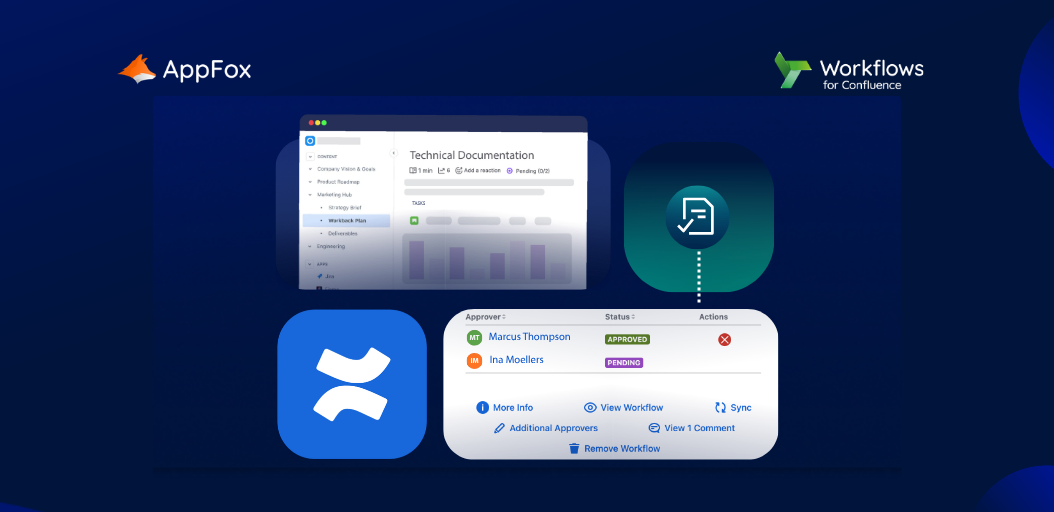
The Workflows for Confluence app includes a full audit log and document control table, so you can see at a glance who has made approval or review decisions, and why. Review feedback is captured, and you can quickly see which stakeholders are involved in the process.
With automatic workflow statuses applied at each stage of your document management processes too, you can instantly see where in the workflow your document is currently sitting.
5. Supports your wider compliance efforts
A robust document management system supports your wider compliance measures with information security and data protection frameworks, as it fosters principles of visibility, monitoring and tracking, and storage and protection.
We also mentioned the Compliance for Confluence app earlier in this article, which strengthens your compliance activity.
With functionality such as AI-enabled data classification, and the aforementioned sensitive data protection feature, Compliance for Confluence can again elevate your document lifecycle management with stronger data protection processes.
Why should you use Workflows and Compliance for Confluence apps alongside Confluence?
Let’s take a look at the comparison between using only Confluence native features for your document management system, and then strengthening those with Atlassian Marketplace apps, Workflows for Confluence and Compliance for Confluence.
For the strongest document management system, strengthen Confluence with Atlassian Marketplace apps
If you’d like to understand more about embedding a document management system in Confluence, why not drop us a line to understand more about our content lifecycle tools – namely the Workflows for Confluence app.
Or, why not simply give it a go yourself? Designed to be super intuitive and user-friendly, get started building document management workflows in minutes! Try Workflows for Confluence free today.